Applying for an Indian passport online involves registering on the official Passport Seva portal, filling out the application, paying the fee to schedule an appointment, and visiting the designated Passport Seva Kendra (PSK) or Post Office Passport Seva Kendra (POPSK) for document verification.
Step-by-Step Online Application Process
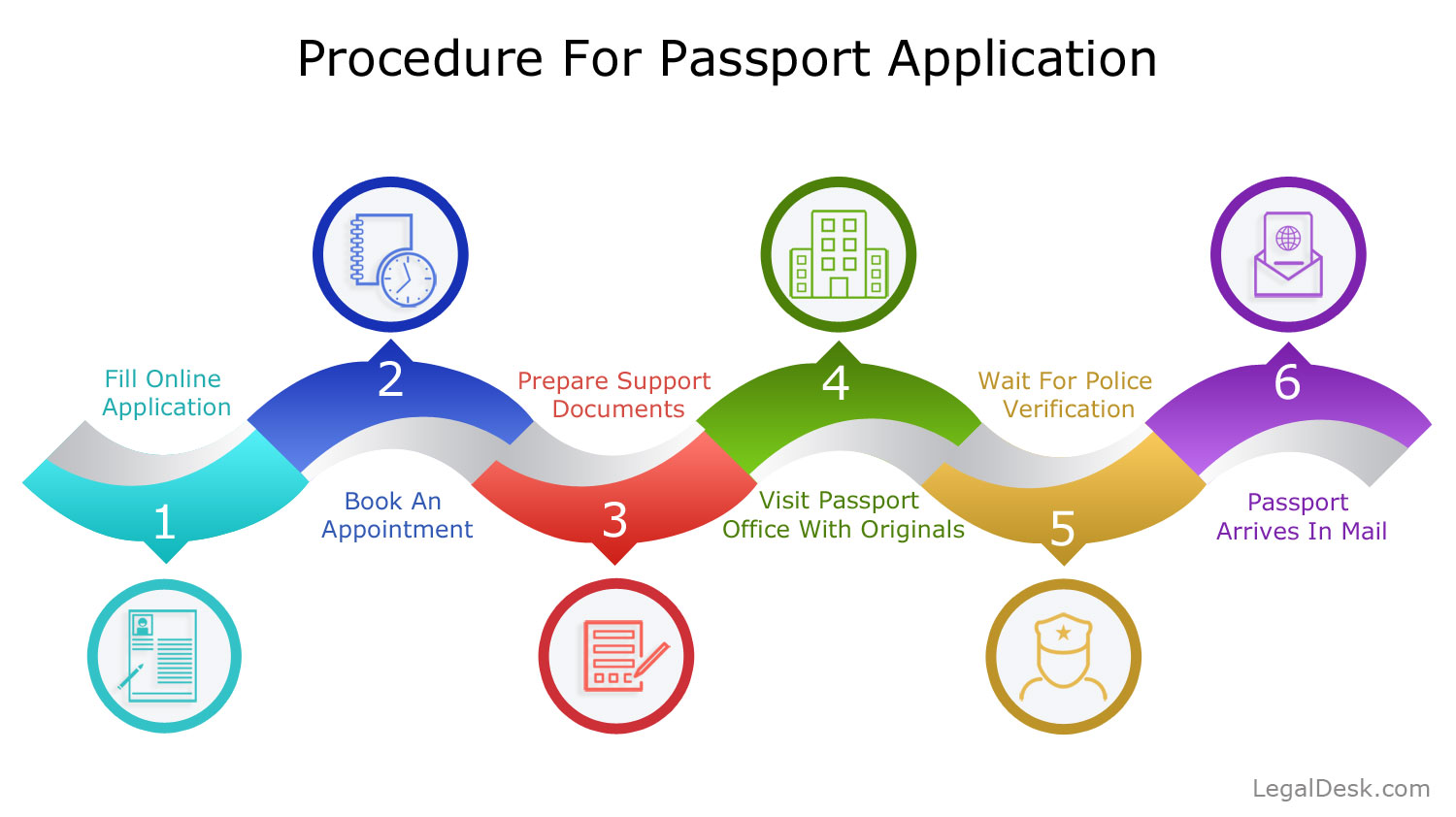
1.Register on Passport Seva Portal:Ensure you use the official government website (passportindia.gov.in).Go to the official Passport Seva website and click on "New User Registration". Fill in your details (select the nearest Passport Office, provide your name, DOB, and create a login ID/password). Confirm registration via the activation link sent to your registered email.
2.Fill Out the Application Form:Select Fresh or Re-issue Passport.Log in using your registered User ID. Click on "Apply for Fresh Passport / Re-issue of Passport". Choose to fill out the form online directly, or download the soft copy PDF, fill it offline, and upload it back. Select application type (Normal or Tatkaal) and booklet type (36 or 60 pages).
3.Pay Fee and Schedule Appointment:Online payment is mandatory to book slots.Navigate to "View Saved/Submitted Applications" and click on "Pay and Schedule Appointment". Choose an online payment method (Credit/Debit Card, Net Banking, or UPI) and select your preferred Passport Seva Kendra (PSK) location and available date/time slot.
4.Print Application Receipt:Required for entry at the PSK.Once payment is successful, click "Print Application Receipt". This receipt contains your Application Reference Number (ARN). An SMS with ARN details on your mobile is also accepted at most centers.
5.Visit Passport Seva Kendra (PSK):Carry original documents along with self-attested photocopies.Reach the PSK/POPSK on your scheduled date and time. At the center, your biometric data (photograph and fingerprints) will be collected, and your original documents verified.
6.Police Verification and Delivery:Final phase before dispatch.After visiting the PSK, local police verification will take place at your registered address. Upon successful verification, your passport will be printed and delivered via Speed Post.
Key Photo Guidelines for Photo Upload / In-Person Capture
If you are uploading a photograph or getting biometrics taken at the center, ensure the photo adheres to standard ICAO/Passport Seva specifications:
Background: Plain white or off-white background.
Expression: Neutral expression, mouth closed, eyes looking straight at the camera.
Lighting: Even lighting across the face with no dark shadows or reflection on glasses.
Headgear: Permitted only for religious reasons, provided the full face from forehead to chin remains clearly visible.



Post a Comment